study apps · 12 min read
Best Study Apps for College and High School Success in 2025
Discover the best study apps for language learning, test prep, and AI-powered help. Compare free and paid options for students of all subjects and levels.
Published November 7th, 2026 · Study Slay team

Choosing the right study app can transform how you learn, helping you absorb material faster and retain it longer. With dozens of options available in 2025, each offering distinct features from AI-powered flashcards to language learning pathways, the key is matching your study method to the tool that actually supports your goals, whether you're tackling organic chemistry, mastering Mandarin, or preparing for the ACT.
This guide walks you through the best study apps across multiple categories, comparing their strengths, pricing models, and ideal use cases so you can build a study stack that works for your schedule, subject load, and learning style.
What Makes a Study App Worth Using?
A study app earns its place on your phone when it reduces friction between you and the material, turning passive review into active retrieval practice or automating the tedious work of organizing notes. The best tools share three traits: they adapt to your unique content (not just pre-made decks), they engage multiple cognitive pathways (visual, auditory, kinesthetic), and they fit seamlessly into the moments you actually study, whether that's a 10-minute bus ride or a three-hour library session.
Look for apps that let you import your own materials, offer spaced repetition or other evidence-based learning techniques, and sync across devices so you're never locked into one screen. Free tiers are great for testing fit, but the most powerful features (AI-generated quizzes, unlimited uploads, offline access) typically sit behind a subscription.
AI-Powered Study Apps That Generate Notes and Flashcards
AI-powered study apps automate the most time-consuming parts of studying by turning raw inputs (lecture recordings, PDFs, YouTube videos, course documents) into structured study materials in seconds. Instead of manually typing out flashcards or summarizing a 40-page textbook chapter, you upload the source and let the AI extract key concepts, generate quiz questions, and build spaced-repetition decks.
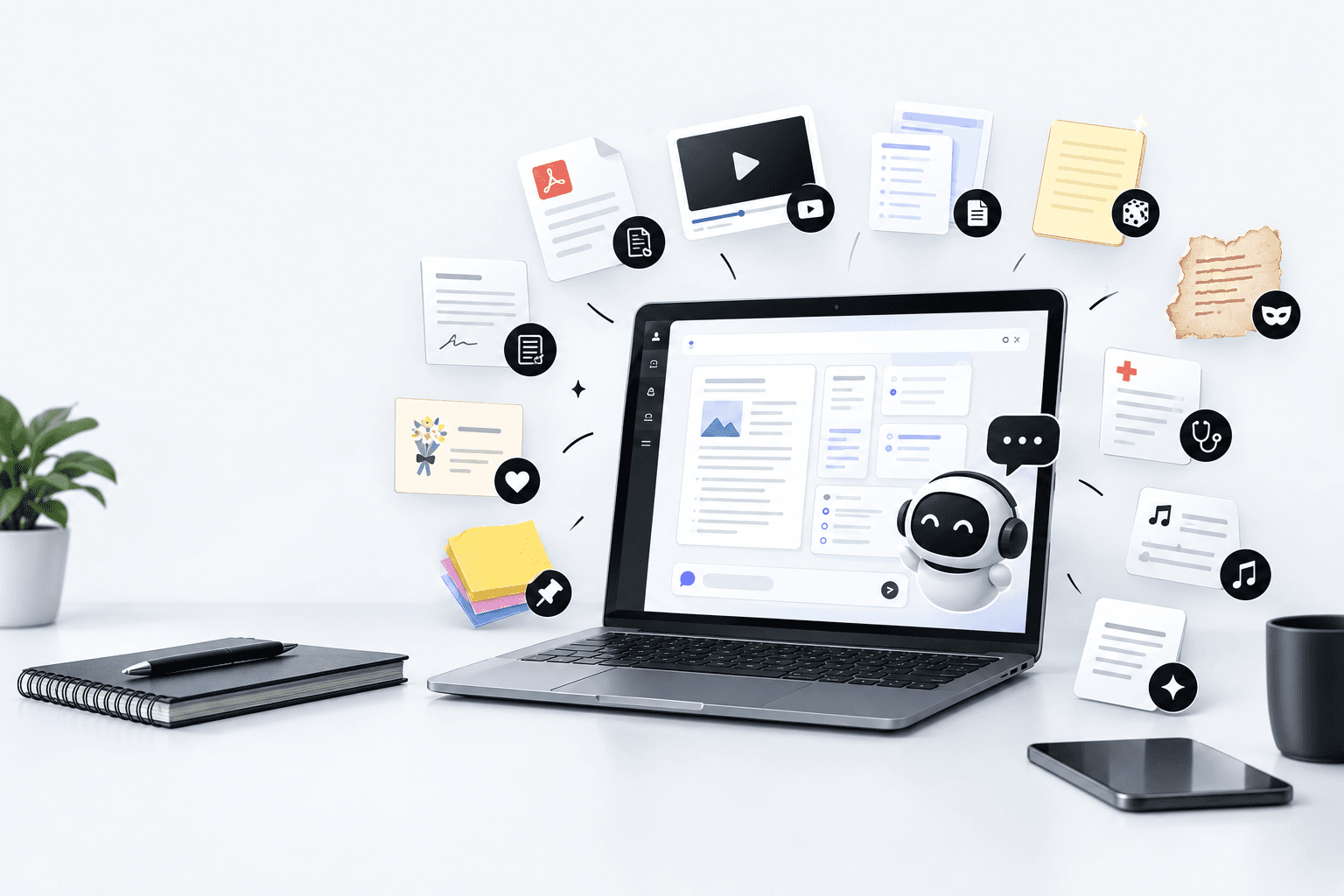
Study Slay stands out here because it handles multiple input types (lectures, PDFs, videos, docs) in one platform and converts them into AI notes, flashcards, and quizzes. You can also chat with your notes to ask clarifying questions, making it especially useful when you're stuck on a concept buried in dense reading. The platform syncs across all devices, so materials you upload on your laptop are instantly accessible on your phone for quick review between classes.
Other strong AI study tools include platforms that specialize in lecture transcription or PDF annotation, but few offer the same breadth of input formats and output types in one ecosystem.
How Do Language Study Apps Compare for Students?
Language study apps are built around immersion, repetition, and contextual practice, making them ideal for students learning Spanish, French, Mandarin, Japanese, or other world languages as part of their coursework or personal goals. The top apps use gamification, native-speaker audio, and adaptive difficulty to keep you engaged while building vocabulary, grammar, and conversational fluency.
For structured, curriculum-aligned learning, apps that offer beginner-to-advanced pathways work well. For students who need to supplement class material, look for apps that let you create custom flashcard decks with your own vocabulary lists or grammar rules. Japanese learners benefit most from apps that teach hiragana, katakana, and kanji together with spaced repetition, while Romance language learners often prefer conversational practice and verb conjugation drills.
Free language apps typically limit lesson volume or lock advanced features, but they're still effective for daily practice. Paid versions unlock unlimited lessons, offline access, and personalized review schedules.
What Are the Best Japanese Study Apps for High School and College?
The best Japanese study apps for students prioritize character recognition (hiragana, katakana, kanji), stroke order practice, and vocabulary building through spaced repetition. Apps that integrate writing practice with audio pronunciation help you connect visual symbols to sounds, which is critical for retention in a logographic language.
Look for tools that teach kanji in context (inside actual words and sentences) rather than in isolation, and that offer JLPT (Japanese Language Proficiency Test) aligned content if you're preparing for standardized exams. Some apps also include grammar breakdown and example sentences, which bridge the gap between textbook exercises and real-world usage.
Bible Study Apps: Free and Paid Options for Students
Bible study apps serve students in religious studies courses, theology programs, and personal faith exploration by offering multiple translations, commentaries, reading plans, and cross-reference tools in one place. The best apps make it easy to search by keyword, compare translations side by side, and highlight or annotate passages for later review.
Free bible study apps often include a core set of translations (NIV, KJV, ESV) and basic reading plans, with premium tiers unlocking advanced study Bibles, concordances, and offline downloads. For academic work, prioritize apps that cite scholarly commentaries and include original language tools (Greek, Hebrew lexicons) if you're digging into textual analysis.
Good bible study apps also let you create custom notes and share highlights with study groups, making them useful for collaborative learning or small group discussions.
Flashcard Apps Versus Full Study Platforms
Flashcard-only apps excel at one thing (spaced repetition) and do it exceptionally well, making them ideal if you already have your notes organized and just need an efficient review tool. Full study platforms, by contrast, handle the entire workflow from content capture (lecture recording, PDF import) through review, making them better for students who need help organizing and synthesizing material before they even reach the flashcard stage.
If you're a medical, law, or STEM student juggling hundreds of pages of dense reading per week, a full platform that auto-generates flashcards from your source materials saves hours. If you're studying vocabulary, dates, or formulas from a well-defined list, a dedicated flashcard app with strong spaced-repetition algorithms will get you better retention in less time.
Many students use both: a full platform for initial processing and a flashcard app for final review, syncing decks between the two.

Which Study Apps Work Best for Test Prep and Finals?
Study apps built for test prep prioritize active recall, practice testing, and time-boxed drills, mirroring the conditions you'll face on exam day. The best apps for finals let you generate quizzes from your own notes or uploaded materials, track which concepts you're weak on, and adjust review frequency accordingly.
For standardized tests (SAT, ACT, GRE, MCAT), choose apps that offer full-length practice exams, score diagnostics, and question explanations. For course finals, apps that turn lecture slides, textbook PDFs, or class recordings into practice questions help you study exactly what your professor emphasized, not generic third-party content.
Combining AI-generated quizzes with spaced repetition gives you the dual benefit of retrieval practice (proven to boost long-term retention) and efficient scheduling, so you're reviewing the right material at the right time without wasting effort on concepts you've already mastered.
Can You Use Study Apps Offline During Exams or Commutes?
Many helpful study apps offer offline modes that download your materials (flashcards, notes, quizzes) to your device, letting you study without Wi-Fi or cellular data. This is especially useful during commutes, flights, or in areas with spotty connectivity, and it also prevents distractions from notifications or browser tabs.
Check whether offline access requires a paid subscription or is included in the free tier. Some apps let you download individual decks or documents manually, while others sync your entire library automatically when you're online.
Comparing Free Study Apps to Premium Subscriptions
Free study apps provide enough functionality for casual learners or students studying one or two subjects, but they often cap uploads, limit AI-generated content, or restrict advanced features like analytics and custom quiz settings. Premium subscriptions unlock unlimited uploads, priority AI processing, offline downloads, and integrations with other tools (Google Drive, Notion, calendar apps), making them worthwhile for students managing multiple courses or preparing for high-stakes exams.
Before committing to a paid plan, test the free version for at least a week during active studying (not just browsing) to see if the core workflow fits your habits. Many apps offer student discounts or trial periods, so check pricing options before you pay full price.
| Feature | Free Tier | Premium Tier |
|---|---|---|
| Upload Limits | Capped (5–10 per month) | Unlimited |
| AI-Generated Content | Limited or watermarked | Full access, priority processing |
| Offline Access | Often restricted | Full offline sync |
| Analytics & Progress Tracking | Basic | Detailed insights, weak-area reports |
| Device Sync | Usually included | Always included |
Are There Good Study Apps That Don't Require a Subscription?
Yes, several study apps offer robust free versions with no mandatory subscription, relying instead on optional upgrades or ad-supported models. These apps typically provide core features (flashcard creation, note-taking, basic quizzes) at no cost, with premium add-ons for power users who need advanced automation or collaborative tools.
For students on tight budgets, prioritize apps that don't paywall essential functions like syncing across devices or exporting your own content. Avoid apps that lock you into proprietary formats with no export option, since you'll lose access to your work if you ever switch tools.

How to Combine Multiple Study Apps Into One Workflow
The most effective study setups use two or three specialized apps that integrate smoothly rather than one bloated app that does everything poorly. A common workflow pairs an AI study platform (for content capture and initial organization) with a flashcard app (for spaced repetition) and a calendar or task manager (for scheduling study sessions).
Start by identifying your weakest link: if you struggle to get notes organized after class, prioritize an app that auto-generates summaries from lecture recordings. If you have great notes but poor retention, focus on a flashcard tool with strong spaced-repetition algorithms. If you know what to study but never make time, add a habit tracker or Pomodoro timer app to enforce consistency.
Avoid the trap of collecting apps without using them. Limit yourself to three active tools max, and commit to one full week of daily use before adding or swapping anything.
Study Apps for Collaborative Learning and Group Projects
Some study apps include sharing and collaboration features that let you distribute flashcard decks, quiz each other, or co-edit notes with classmates. These tools are especially helpful for group projects, study groups, or classes where students divide reading assignments and share summaries.
Look for apps that let you control permissions (view-only versus edit access) and track contributions, so everyone stays accountable. Cloud-based platforms with real-time sync prevent version conflicts and make it easy to review the latest updates without emailing files back and forth.
For subjects heavy on problem-solving (math, physics, coding), consider apps that support image uploads and annotation so group members can share worked examples or diagrams alongside text explanations.
Which Apps Let You Import PDFs and Lecture Slides?
Apps that accept PDF uploads are essential for students studying from textbooks, research articles, or professor-provided slide decks. The best tools let you convert PDFs into AI notes, highlight key passages, and extract text for flashcards or quizzes, turning static documents into interactive study materials.
Some apps also support lecture slide imports (PowerPoint, Google Slides) and preserve the original formatting, making it easier to review visual diagrams, charts, or code snippets exactly as your professor presented them. Check file size limits and supported formats before committing, especially if you're working with scanned or image-heavy PDFs.
Frequently Asked Questions About Study Apps
What is the best study app for college students in 2025?
The best study app for college students depends on your workflow, but platforms that turn lectures, PDFs, and videos into AI-generated notes, flashcards, and quizzes offer the most versatility for managing multiple courses. Look for tools that sync across devices, support your preferred input formats, and offer evidence-based review methods like spaced repetition.
Are free study apps effective enough for high school students?
Free study apps are highly effective for high school students, especially those studying a manageable course load or focusing on one or two subjects at a time. Free tiers typically include core features like flashcard creation, basic note organization, and device sync, which are sufficient for most high school needs. Upgrade to a paid plan only if you hit upload limits or need advanced AI features.
Can study apps replace traditional note-taking by hand?
Study apps complement but don't fully replace handwritten notes, since writing by hand engages different cognitive processes that aid initial encoding. However, apps excel at review, organization, and retrieval practice, making them ideal for transforming handwritten or typed notes into flashcards, quizzes, and spaced-repetition schedules. Many students use both: handwrite during lectures, then upload or type notes into an app for long-term study.
Do AI study apps work for all subjects or just STEM?
AI study apps work across all subjects, including humanities, social sciences, and arts, because they process any text-based or audio content you provide. Whether you're studying organic chemistry, Shakespeare, legal case briefs, or art history, the AI extracts key concepts, generates practice questions, and builds review materials tailored to your uploaded content. Performance depends on content quality, not subject matter.
How do I choose between a flashcard app and a full study platform?
Choose a flashcard app if you already have well-organized notes and want a focused tool for spaced repetition and active recall. Choose a full study platform if you need help capturing, organizing, and synthesizing material from multiple sources (lectures, PDFs, videos) before you even reach the review stage. Full platforms save time by automating the entire workflow, while flashcard apps optimize the final review step.
Building Your Personal Study App Stack for 2025
The right combination of study apps adapts to your unique course load, learning style, and time constraints, turning scattered materials into a coherent, reviewable system. Start with one core platform that handles your primary pain point (whether that's organizing lecture notes, building flashcards, or practicing retrieval), then add specialized tools only when you've maxed out what the core app can do.
For students juggling multiple subjects and formats, platforms that accept lectures, PDFs, and videos in one place reduce app-switching and keep all your study materials accessible from any device. Explore Study Slay's features to see how AI-powered content transformation, multi-format input, and cross-device sync can streamline your entire study workflow, from the first lecture to final exam day.