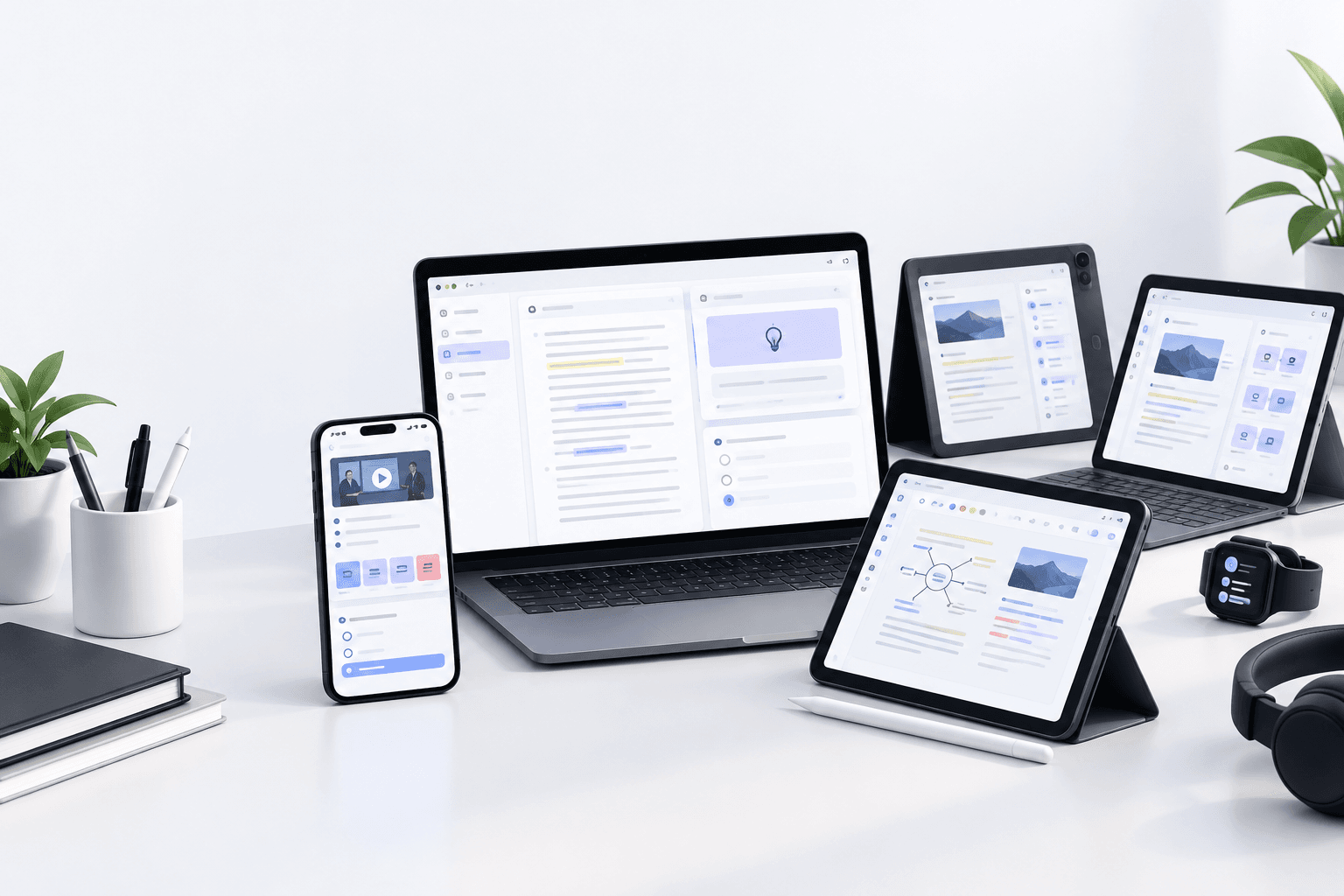
notes ai · 20 min read
Notes AI: Transform Lectures, PDFs, and Videos into Study Material
Discover how notes AI turns lectures, videos, and PDFs into structured study materials. Learn which AI note-taking tools work best for students in 2026.
Published October 29th, 2026 · Study Slay team

Notes AI is a category of artificial intelligence tools designed to convert various educational content formats into organized, searchable study materials automatically. These tools process audio recordings, video files, PDF documents, and live lectures to generate structured notes, outlines, and summaries that students can review and search efficiently. For college students managing multiple courses simultaneously, notes AI eliminates the time-consuming task of manual transcription and reformatting while ensuring no critical information slips through the cracks.
The core technology behind notes AI combines speech recognition, natural language processing, and text extraction algorithms to identify key concepts, definitions, and relationships within source materials. When applied to a recorded biochemistry lecture or a dense PDF textbook chapter, the AI distinguishes between main ideas and supporting details, then structures the output to mirror how students naturally organize information for retention. This transformation means a 90-minute video lecture becomes a scannable set of bullet points and headings in minutes, not hours.
What Makes Notes AI Different from Manual Note-Taking?
Notes AI captures verbatim content without the cognitive load of simultaneous listening and writing, which reduces the working memory burden that causes students to miss important points during fast-paced lectures. Instead of dividing attention between comprehension and documentation, students can focus entirely on understanding the material while the AI records and processes everything said or displayed. The result is a complete record that preserves exact terminology, which matters especially in technical fields like anatomy or organic chemistry where precision is non-negotiable.
Manual notes reflect personal biases about what seems important in the moment, but notes AI applies consistent criteria across all sources, flagging definitions, numbered lists, cause-effect statements, and repeated concepts automatically. This consistency means nothing gets omitted because you were distracted or thought a point was less relevant than it turned out to be on the exam. The AI also timestamps key moments in video or audio files, so you can jump directly to the source segment when a note needs clarification.
How Does Video to Notes AI Work?
Video to notes AI extracts audio from MP4, MOV, or other video file formats, transcribes the spoken content using automatic speech recognition, then parses the transcript to identify headings, subpoints, and important quotes. The software detects topic shifts by analyzing changes in vocabulary, speaker cues like "next, we'll cover," and visual slide changes when screen content is included. Each detected section becomes a heading or subheading, with supporting sentences nested beneath it in hierarchical outline form.
Some video to notes AI tools also perform optical character recognition on slides, whiteboards, or diagrams visible in the video frame, merging that text with the spoken transcript to build a more complete document. This dual-channel capture is particularly valuable for STEM courses where professors write equations or draw structures that supplement their verbal explanations. The AI aligns timestamps from the visual and audio tracks, so the final notes indicate exactly when each formula or diagram appeared.
Are There Video to Notes AI Free Options?
Video to notes AI free tools typically impose limits on upload file size, total processing time per month, or the length of individual videos you can convert. Many platforms offer a freemium model where basic transcription and simple formatting are available at no cost, but advanced features like custom templates, multi-language support, or integration with flashcard generators require a paid subscription. For students testing the technology or handling occasional short videos, these free tiers provide enough functionality to evaluate whether the workflow fits their study habits.
When choosing a free option, check whether the platform retains your uploaded content, how it handles data privacy, and whether export formats are restricted. Some services lock free users into proprietary formats that can't be imported into other study tools, while others allow Markdown or plain text exports that integrate smoothly with note-taking apps you already use. Reading the terms of service for data retention policies is especially important if you're uploading recordings that include personal information or unpublished research.
How Does PDF to Notes AI Extract and Organize Content?
PDF to notes AI reads the document structure, identifies headings by analyzing font size and weight, extracts body paragraphs, and pulls out highlighted or bolded terms that signal definitions or key concepts. The AI then condenses verbose explanations into concise summary points, preserving technical vocabulary and numerical data while removing filler phrases and redundant clauses. This compression transforms a 30-page journal article or textbook chapter into a two-page outline that retains every testable fact and core argument.
Advanced PDF to notes AI also recognizes tables, charts, and figure captions, converting tabular data into text descriptions or preserving the table structure in the output notes. For example, a comparison table of enzyme kinetics parameters becomes a bulleted list of enzyme names with their associated Km and Vmax values, making the information easier to search and review. When the PDF includes annotations you've already added, some tools merge those margin comments into the AI-generated notes, creating a unified document that combines automated extraction with your own insights.
What Should You Look for in PDF to Notes AI Tools?
Look for PDF to notes AI that handles scanned documents and image-based PDFs, not just text-layer files, because many library scans and older textbooks exist only as images. Optical character recognition quality varies widely, so test the tool with a sample page that includes small fonts, subscripts, or mathematical symbols before committing to process an entire textbook. Accurate OCR is the difference between usable notes and a document filled with garbled equations that require manual correction.
Another critical feature is citation preservation: the AI should track which page or section each note originated from, so you can reference the source material accurately in essays or verify a point that seems unclear. Tools that generate hyperlinks back to the original PDF page number streamline this process, turning your notes into an interactive index of the full document. For research-heavy courses, this bidirectional linkage saves hours of flipping through PDFs to relocate a half-remembered passage.
How Does Lecture to Notes AI Capture Live Classes?
Lecture to notes AI operates in real time by recording audio through your device's microphone, transcribing speech as it happens, and formatting the transcript into structured notes while the lecture progresses. The AI applies automatic punctuation, paragraph breaks, and heading detection based on speaker pauses, intonation changes, and keyword triggers like "first," "in summary," or "the main point here is." By the time the professor dismisses class, you have a complete, organized document waiting in your account instead of a raw audio file that still needs hours of manual processing.
Some lecture to notes AI platforms also allow you to bookmark moments during the recording by tapping a button or typing a quick tag, which creates an anchor point in the notes that links back to that specific timestamp in the audio. This feature is invaluable during complex derivations or multi-step problem solutions where you want to mark the exact moment to review later. The bookmarks appear as clickable timestamps in the final notes, so you can replay just the 30 seconds where the professor explained the tricky step, rather than scrubbing through the entire hour-long recording.
Can Lecture to Notes AI Handle Multiple Speakers?
Lecture to notes AI with speaker diarization separates different voices in the recording and labels them as Speaker 1, Speaker 2, and so on, or allows you to assign names afterward. This capability matters most in seminar-style classes, panel discussions, or study group recordings where several people contribute, because it preserves the context of who said what. Without diarization, questions from students and answers from the professor blend into a single undifferentiated transcript, making it harder to follow the thread of an argument or identify which explanation came from the authoritative source.
Speaker separation quality depends on microphone placement, room acoustics, and how much voices overlap. Tools perform best when speakers take clear turns without frequent interruptions, so recording a traditional lecture works better than a heated debate. If your class includes a lot of cross-talk, consider a tool that lets you manually split or merge speaker segments afterward, giving you control over the final document structure without starting transcription from scratch.
What Is Voice Notes AI and When Should You Use It?
Voice notes AI transcribes short audio recordings you capture on your phone or computer, typically while brainstorming ideas, recording personal observations during lab work, or summarizing a reading immediately after finishing it. Unlike lecture to notes AI, which focuses on long-form external content, voice notes AI is optimized for brief, spontaneous recordings where you speak your thoughts aloud instead of typing them. The AI cleans up filler words like "um" and "uh," formats the transcription into readable sentences, and can even categorize notes by subject or tag them with keywords you specify verbally.
Students use voice notes AI while commuting, walking between classes, or during moments when typing is impractical but an idea needs immediate capture. Speaking is faster than typing for most people, so dictating a reaction to a lecture or a hypothesis for a lab report takes half the time of composing it in writing. The transcribed note then integrates into your larger study system, where it can be searched, linked to related materials, or expanded into a formal document later.
How Accurate Is Voice Notes AI with Technical Terminology?
Voice notes AI accuracy with technical terminology improves when you use tools that let you build a custom dictionary or train the model on your course vocabulary. Generic transcription engines often misinterpret scientific terms, drug names, or specialized jargon as common words that sound similar, producing notes filled with nonsensical substitutions that require extensive editing. By adding terms like "mitochondria," "phenylephrine," or "heteroskedasticity" to a personal lexicon, you teach the AI to prioritize those technical meanings over everyday alternatives.
Another tactic is to spell out ambiguous terms the first time you say them: for example, "CRISPR, spelled C-R-I-S-P-R," which signals the AI to lock in that spelling for future occurrences. Some tools also offer post-processing correction where the AI reviews the full transcript and suggests fixes for probable errors, flagging low-confidence words for your review. This semi-automated editing workflow is faster than manual transcription but still ensures the final document reflects accurate terminology.
What Are Clinical Notes AI and Who Uses Them?
Clinical notes AI assists medical students, nursing students, and healthcare professionals by transcribing patient encounters, case discussions, and rounds into structured SOAP notes or other clinical documentation formats. The AI listens to the conversation between provider and patient, extracts subjective complaints, objective findings, assessment conclusions, and plan details, then organizes them into the standard sections required for electronic health records. For medical students shadowing physicians or participating in clinical rotations, this technology demonstrates proper documentation structure and captures learning points without violating patient privacy when used in approved educational settings.
In educational contexts, clinical notes AI helps students practice translating conversational case presentations into formal written notes, reinforcing the skill of identifying relevant information and discarding extraneous details. The AI output serves as a template students can compare against their own manual notes to see what they missed or how experienced clinicians prioritize information. Some platforms anonymize patient identifiers automatically, ensuring compliance with privacy regulations even in training scenarios.
Does Google Notes AI Exist and What Does It Offer?
Google notes AI typically refers to AI-powered features within Google Keep, Google Docs, or third-party extensions that integrate with Google Workspace to add transcription, summarization, or organizational capabilities. Google Keep itself includes basic voice-to-text transcription for quick audio notes, while Google Docs offers voice typing that converts spoken words into editable text in real time. These native tools provide lightweight notes AI functionality without installing separate apps, which is convenient for students already embedded in the Google ecosystem.
Third-party extensions built for Google Drive or Docs add more advanced notes AI features like automatic summarization of uploaded PDFs, outline generation from long documents, or batch transcription of video files stored in Drive. These extensions often require granting access to your Drive contents, so review permissions carefully to ensure the tool only accesses the folders you intend to share. For students who store lecture recordings and readings in Google Drive, extensions that process files in place eliminate the need to download, convert, and re-upload materials across multiple platforms.
What Is Easy Notes AI and How Does It Simplify the Workflow?
Easy notes AI describes platforms designed for minimal setup and one-click conversions, where you upload or paste content and receive formatted notes without configuring templates, training models, or adjusting settings. The emphasis is on removing friction from the process, so students spend seconds initiating a task rather than minutes tweaking parameters. Tools in this category prioritize speed and simplicity over deep customization, making them ideal for students who want functional notes immediately and are willing to accept a standardized output format.
The tradeoff with easy notes AI is less control over structure, detail level, and formatting, which may not suit students with specific organizational preferences or accessibility needs. However, for the majority of use cases, a well-designed default template that produces hierarchical bullet points with timestamps and key term highlighting covers the essential requirements. Students can always edit the output manually if a particular section needs more detail or a different arrangement.
What Is Magic Notes AI?
Magic notes AI is a marketing term some platforms use to describe automated note generation that feels effortless or produces unexpectedly high-quality results with minimal user intervention. The "magic" label emphasizes the gap between input effort and output value, suggesting the AI does more than straightforward transcription by adding context, reorganizing content logically, or inferring relationships between concepts. In practice, these tools combine multiple AI techniques such as entity recognition, topic modeling, and summarization in a single pipeline, producing notes that read more like a human-written study guide than a raw transcript.
Whether a tool lives up to the "magic" branding depends on the complexity of your source material and how well the AI handles your subject area. Tools trained on broad datasets perform better with general humanities or social science content, while those fine-tuned on scientific corpora excel at STEM subjects. Testing the tool with a representative sample of your actual course materials, rather than the polished demo examples on the website, reveals whether the magic holds up under real conditions.
How to Choose the Right Notes AI Tool for Your Courses
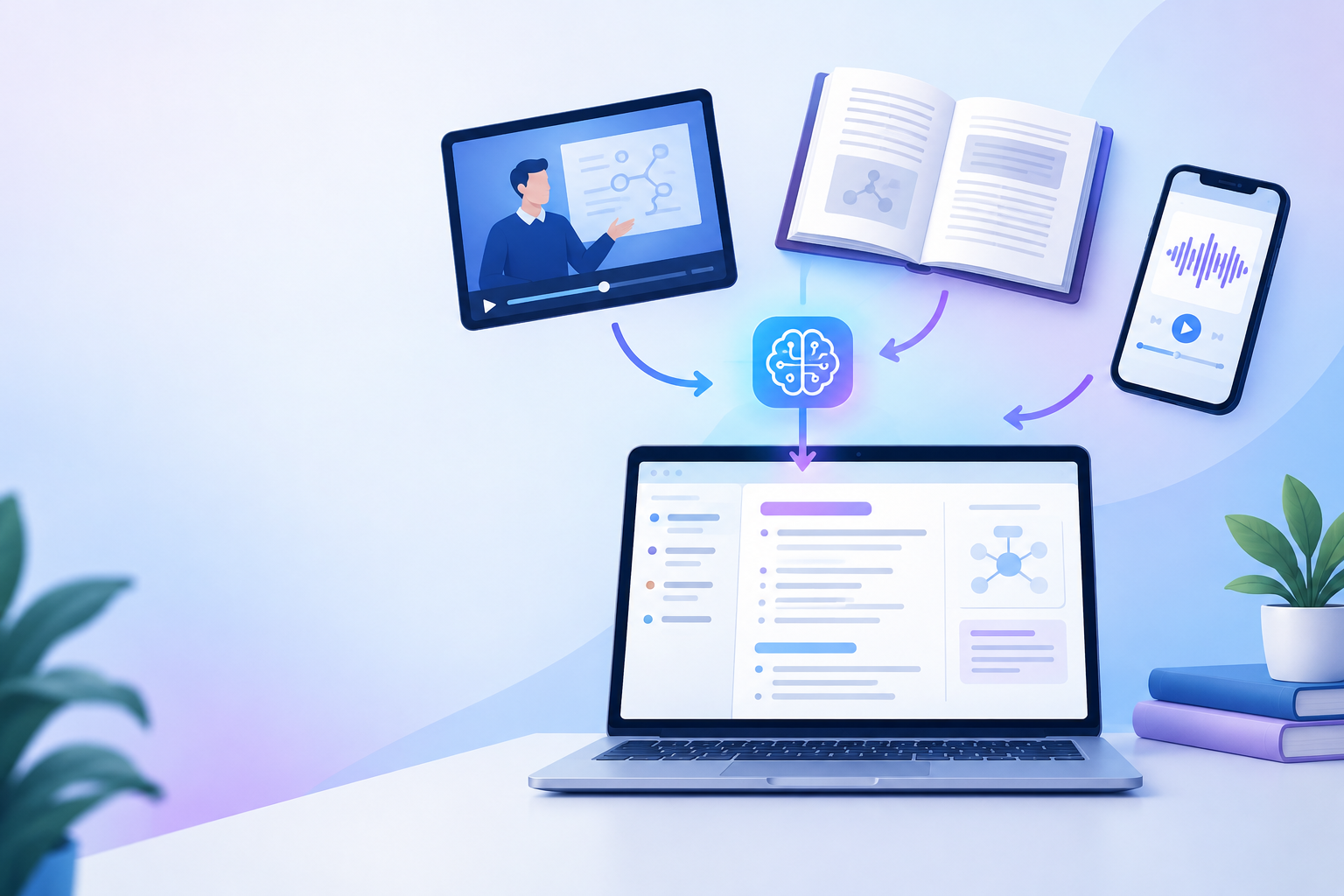
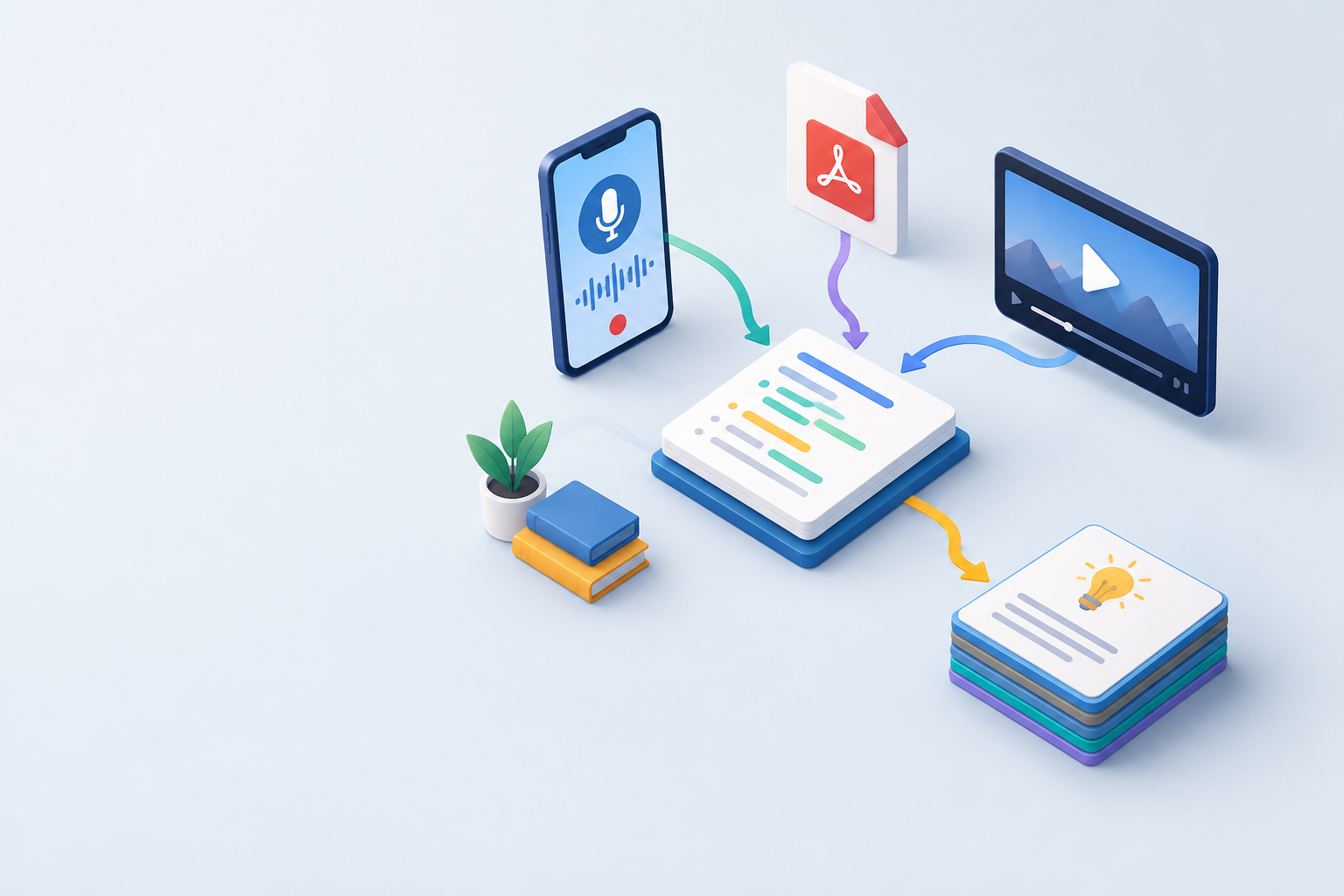
Choose a notes AI tool by matching its input format strengths to the media types you encounter most frequently in your classes. If your professors post recorded lectures, prioritize tools with robust video to notes AI and accurate timestamp linking. If your coursework centers on dense textbook readings, look for platforms with strong PDF to notes AI and OCR capabilities. Students juggling multiple media types benefit from all-in-one platforms that handle video, audio, PDFs, and live recordings within a single interface, eliminating the need to learn and pay for separate tools.
Evaluate how the tool integrates with your existing study workflow: does it export to formats compatible with flashcard apps, does it sync across devices so you can review on your phone during commutes, and can you search across all your notes from different courses in one place? A tool that produces excellent notes but traps them in a proprietary format or requires desktop-only access adds friction that undermines the time savings from automation. Seamless export to Markdown, plain text, or direct integration with spaced repetition systems maximizes the long-term value of your notes library.
| Feature | Why It Matters | Best For |
|---|---|---|
| Real-time transcription | Notes ready when class ends | Live lectures, seminars |
| OCR for scanned PDFs | Handles image-only documents | Library scans, older textbooks |
| Custom vocabulary | Accurate technical terms | STEM, medical, law courses |
| Timestamp linking | Jump to exact source moment | Complex derivations, problem sets |
| Multi-device sync | Review anywhere, anytime | Students with mobile study habits |
Should You Pay for Notes AI or Stick with Free Tools?
Pay for notes AI when free tier limits disrupt your workflow more than the subscription cost, which typically happens when you need to process multiple hours of content per week or require advanced features like custom templates and offline access. Calculate the time you spend manually transcribing or organizing notes each week, estimate its dollar value using a reasonable hourly rate, and compare that to the monthly subscription price. If you're saving five hours a week and value your time at even ten dollars per hour, a twenty-dollar monthly subscription pays for itself immediately.
Free tools remain viable for students with light usage, occasional needs, or when trying a new study method before committing financially. Many platforms offer student discounts or extended trials, so check whether your .edu email unlocks better pricing or bonus features. Also consider whether your university already licenses notes AI tools through the library or IT department, since institutional access often includes premium features at no direct cost to you.
How to Get the Most Value from Notes AI
Get the most value from notes AI by treating the output as a first draft that you review and annotate within 24 hours of generation, while the material is still fresh in your memory. The AI captures content comprehensively, but your active review adds the personal connections, questions, and examples that transform raw information into durable knowledge. Mark sections you don't fully understand, add cross-references to related notes from other courses, and insert your own examples that make abstract concepts concrete.
Integrate notes AI output with active recall strategies by converting key points into flashcards or quiz questions immediately after review. Many platforms, including Study Slay, automate this conversion by identifying definitions, cause-effect pairs, and process steps in your notes and generating flashcards from them automatically. This two-stage process leverages the AI's speed for documentation while preserving the cognitive benefits of spaced repetition and self-testing.
Can Notes AI Replace Attending Lectures?
Notes AI cannot replace attending lectures because it captures content but not the real-time opportunity to ask questions, observe demonstrations, participate in discussions, or pick up on emphasis cues that signal what the professor considers exam-worthy. The AI transcribes what was said, but it doesn't tell you which topics the professor spent extra time explaining, returned to multiple times, or flagged explicitly as "important for the test." Those contextual signals come only from being present, and they guide how you prioritize study time more effectively than word frequency in a transcript.
Notes AI serves best as a complement to attendance, capturing the details you might miss while focusing on understanding or providing a backup when illness or scheduling conflicts force you to miss a class. Some students also find that knowing the AI is recording everything reduces note-taking anxiety during class, freeing them to listen more actively and engage more deeply with the material in the moment. That shift in attention often leads to better comprehension during the lecture itself, making the later review of AI-generated notes faster and more effective.

Common Mistakes to Avoid with Notes AI
The most common mistake with notes AI is treating the generated output as a finished product you can simply review passively before an exam, which skips the encoding process that moves information into long-term memory. Reading AI notes without engaging actively is no more effective than rereading a textbook chapter; both create the illusion of familiarity without building the retrieval strength that exams test. To avoid this trap, use the AI notes as source material for spaced repetition practice, self-generated questions, or teaching the material to a study partner.
Another mistake is uploading poor-quality audio or video files and expecting the AI to compensate for inaudible speech, heavy background noise, or garbled recordings. Notes AI performs only as well as the input quality allows, so invest in a decent microphone for lecture recording, position yourself near the speaker, and test recording settings before the first class. When processing video, ensure the resolution is high enough that on-screen text remains legible, since OCR accuracy drops sharply with blurry or pixelated images.
How Do You Organize Notes AI Output Across Multiple Courses?
Organize notes AI output by creating a folder or tag structure that mirrors your course schedule, with each class getting its own container and sub-folders for lectures, readings, and supplementary materials. Consistent naming conventions, such as "CourseName_Date_Topic" for each note file, make searching and sorting easier as your library grows throughout the semester. Tools that support nested tags or bidirectional links allow you to connect related concepts across courses, building a networked knowledge base rather than isolated silos.
Regularly review and merge notes on overlapping topics, especially in cumulative subjects like chemistry or mathematics where later material builds on earlier foundations. If Week 8's organic chemistry lecture references a reaction mechanism from Week 3, link those notes explicitly or copy the relevant section into the new document with a citation. This cross-referencing habit turns your notes AI archive into a personal textbook tailored to your courses, where you can trace concepts forward and backward through the semester without hunting through disconnected files.
Frequently Asked Questions About Notes AI
What is the best notes AI tool for students in 2026?
The best notes AI tool for students in 2026 depends on your specific media types, subject areas, and budget, but platforms that handle video, audio, PDFs, and live recordings in one place offer the most versatility. Study Slay combines notes AI with automatic flashcard and quiz generation, which streamlines the entire study workflow from content capture through active recall practice. Look for tools that export to standard formats, sync across devices, and integrate with the apps you already use for maximum long-term value.
How accurate is notes AI transcription?
Notes AI transcription accuracy typically ranges from 85 to 95 percent for clear audio with minimal background noise and standard vocabulary, but drops when recordings include heavy accents, technical jargon, or multiple overlapping speakers. You can improve accuracy by using a quality microphone, recording in quiet environments, and training the AI with custom vocabulary lists for your subject area. Always review AI-generated transcripts for errors, especially in sections containing numerical data, formulas, or unfamiliar terminology, since even small transcription mistakes can lead to serious misunderstandings later.
Can I use notes AI for group study sessions?
You can use notes AI for group study sessions by recording the discussion and transcribing it afterward, which creates a shared record everyone can reference when reviewing or resolving disagreements about what was said. Tools with speaker diarization help distinguish contributions from different participants, making it easier to track who explained which concept or raised which question. Always get consent from all participants before recording a group session, and agree on how the transcript will be stored and shared to respect everyone's privacy and intellectual contributions.
Does notes AI work offline?
Notes AI works offline only if the tool specifically advertises offline capability and you've downloaded the necessary models to your device beforehand, which is uncommon because most platforms process content on cloud servers to access more powerful AI models. Offline functionality matters most when you need to record and transcribe in locations without reliable internet, such as field research sites or during flights. If offline access is critical for your workflow, confirm the feature explicitly and test it before depending on it in a real situation, since "offline" sometimes means only that you can record locally with transcription delayed until you reconnect.
Getting Started with Notes AI Today
Getting started with notes AI requires identifying one course or content type where manual note-taking currently consumes the most time, then testing a tool with a single lecture or reading from that course. This focused trial reveals whether the AI's output quality justifies the time investment in uploading files, reviewing transcripts, and integrating the notes into your study routine. Start with a video or PDF where you already have manual notes, so you can compare the AI output directly against your own work and evaluate what was gained or lost.
Once you've verified that the tool meets your quality threshold, build a habit loop around it: record or upload immediately after class, review and annotate the AI notes within 24 hours, then convert key points into quiz questions or flashcards for spaced practice. This three-step cycle ensures notes AI accelerates your workflow without introducing passive consumption habits that undermine learning. Over time, you'll refine your preferences for formatting, detail level, and integration with other tools, building a personalized system that scales across all your courses without proportional increases in effort.