study apps · 19 min read
Best Study Apps for College Students in 2026: AI-Powered Tools
Discover the best study apps for 2026, from AI-powered note takers to language learning tools. Compare features, pricing, and reviews to find your perfect match.
Published October 26th, 2026 · Study Slay team

Choosing the right study apps can cut your preparation time in half and double your retention rate, but with hundreds of options flooding app stores in 2026, the wrong choice wastes both money and study sessions. The shift to AI-powered features, cross-platform syncing, and specialized subject tools means that what worked last year might already be outdated, and generic recommendations rarely match your actual course load, learning style, or budget.
This guide walks you through the decision framework that matches features to your specific needs, breaks down the categories that matter most, and shows you which tools excel in each niche so you can build a tailored study stack instead of downloading everything your classmates use and hoping one sticks.
What Makes a Study App Worth Installing in 2026?
A study app earns a spot on your phone when it automates a repetitive task you currently do manually, integrates with the content formats your professors actually assign, and saves more time than it takes to learn. The core shift in 2026 is that the best study apps now process raw inputs like lecture recordings, PDFs, and video links, then generate structured outputs like flashcards, quizzes, and searchable notes without requiring you to type or reformat anything.
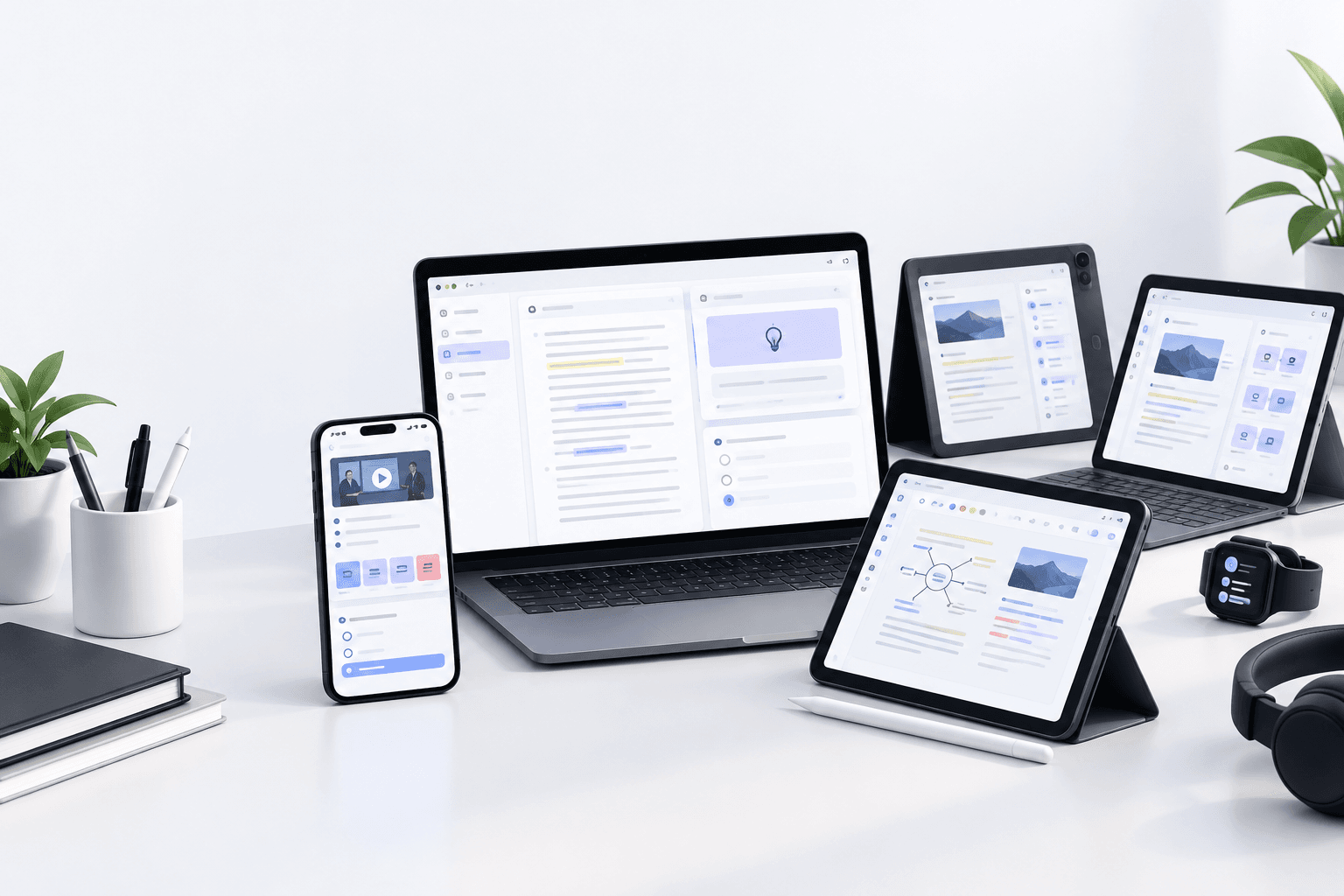
Look for tools that handle your institution's file types natively. If your biology professor posts slide decks as PDFs and your history professor records lectures as MP4 files, an app that only accepts text input forces you into a conversion step that kills efficiency. Cross-platform syncing is no longer optional: you need seamless handoff between your laptop during class, your tablet for reading, and your phone for review sessions during commutes.
How Do AI-Powered Study Apps Differ from Traditional Tools?
AI-powered study apps generate content from source material automatically, while traditional tools provide blank templates you fill manually. When you upload a lecture recording to an AI platform, it transcribes the audio, identifies key concepts, generates flashcards for those concepts, and creates practice quizzes with distractors based on the lecture content, all in under two minutes. A traditional app gives you a flashcard template and waits for you to type every term and definition yourself.
The quality difference shows up in recall testing. AI-generated flashcards pull verbatim definitions and context from your actual course materials, reducing the risk of study guides that contradict your professor's specific terminology. Traditional manual entry introduces transcription errors and forces you to decide which details matter before you fully understand the material. That said, AI tools require verification: always spot-check generated content against your syllabus and course objectives, because models occasionally misinterpret domain-specific jargon or skip over concepts your professor emphasized verbally but the transcript didn't capture clearly.
Which Input Formats Should Your Study App Accept?
Your study app must accept every format your professors distribute without requiring third-party converters. The minimum list for 2026 includes PDF textbooks and slides, MP3 and MP4 lecture recordings, YouTube links for assigned videos, Word and Google Docs for reading assignments, and live audio recording during in-person classes.
Tools like Study Slay handle this range natively, converting lectures, PDFs, YouTube videos, and docs into structured AI notes and flashcards through a single upload interface. If you're studying languages, confirm that the app preserves character sets and diacritics for non-Latin scripts. For STEM courses, check whether the app recognizes equations and diagrams embedded in PDFs or defaults to treating them as unreadable images.
Best Study Apps for Lecture Notes and AI Transcription
Apps in this category record live lectures or process uploaded audio files, then generate timestamped transcripts and extract structured notes automatically. The standout feature to compare is how each tool handles speaker identification, background noise, and technical vocabulary specific to your major.
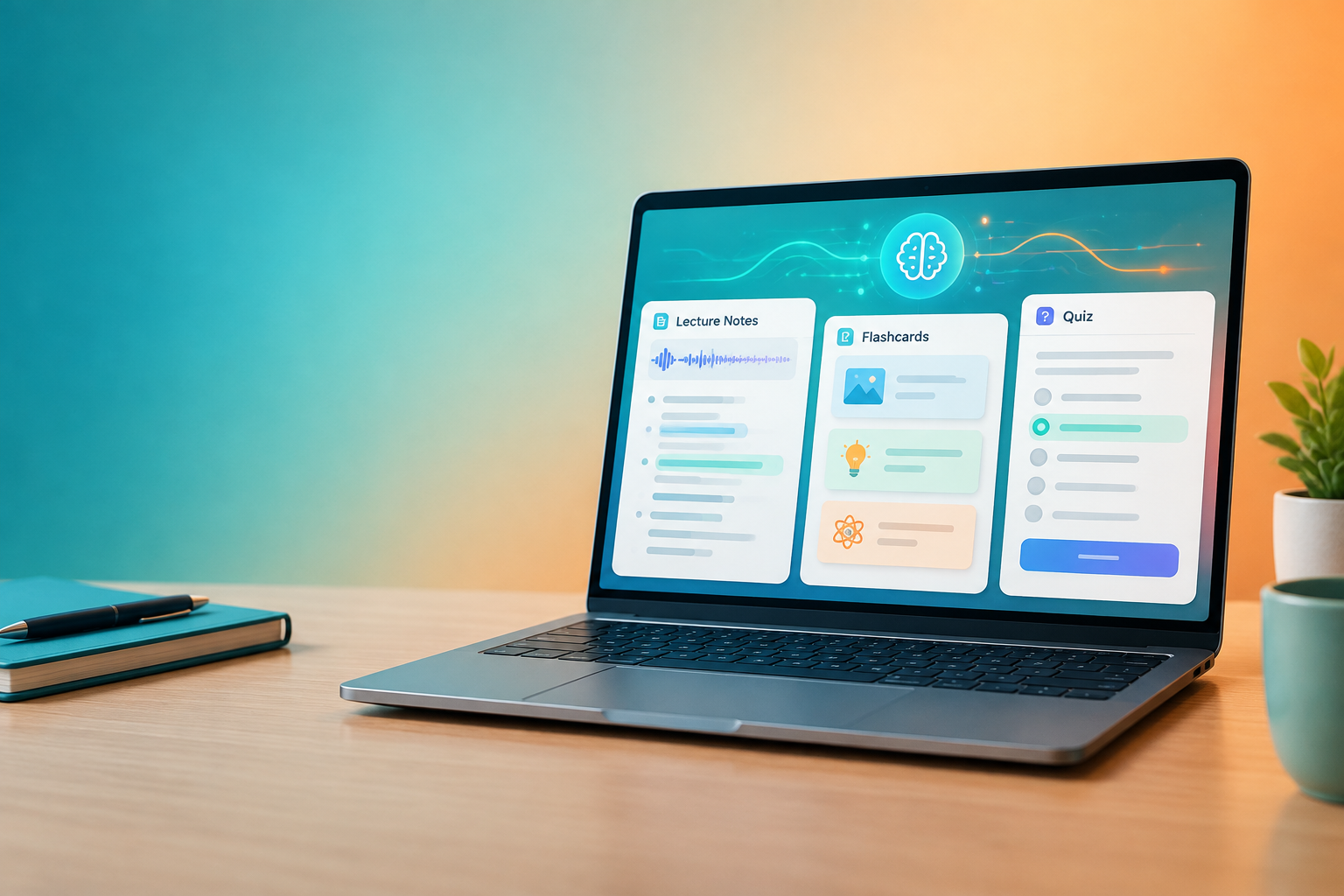
Study Slay excels here by turning lecture recordings into organized notes that highlight definitions, key arguments, and examples separately, then lets you chat with those notes to clarify confusing sections. You upload the file, and within minutes you have a scannable outline plus auto-generated flashcards for every term the AI flags as testable.
Alternative tools focus on live transcription with real-time correction, which works well for fast-paced seminars but requires a stable internet connection. Evaluate whether you need offline recording capability for lecture halls with weak Wi-Fi, and whether the app lets you edit transcripts inline when the AI mishears a proper noun or course-specific term.
Do You Need Offline Access or Cloud-Only Tools?
Offline access matters when your campus Wi-Fi drops during peak hours or your commute includes subway stretches with no signal. Cloud-only tools lock you out when connectivity fails, but they offer instant sync across devices and automatic backups that offline apps can lose if your phone dies mid-semester.
The hybrid approach works best: choose an app that downloads your most recent notes and flashcards for offline review while syncing updates back to the cloud whenever you reconnect. Study Slay follows this model, letting you study on every device with full sync while caching your active study sets locally. Pure offline apps create version conflicts when you edit the same note on two devices, so prioritize tools with conflict-resolution logic built in.
Top Flashcard Apps and AI Flashcard Makers
Flashcard apps split into two camps: manual builders that give you full control over every card, and AI generators that create decks from your source material automatically. Manual tools suit niche subjects where you need precise wording, while AI makers save hours on vocab-heavy courses like anatomy, foreign languages, and introductory surveys.
Study Slay's AI flashcard maker scans your uploaded documents and generates cards with context-aware definitions, then lets you edit or delete any card that misses the mark. The generated decks pull directly from your professor's slides, so terminology stays consistent with exam wording. For advanced review, the platform applies spaced repetition algorithms explained in cognitive science research on the spacing effect, scheduling each card at the interval that maximizes long-term retention.
When comparing flashcard apps, test how they handle images, audio clips, and formatting. A good language study app lets you attach pronunciation audio to each card, while STEM tools should support LaTeX for equations and embed diagrams from your textbook PDFs.
| Feature | Manual Flashcard Apps | AI Flashcard Makers |
|---|---|---|
| Setup Time per Deck | 30-60 minutes for 50 cards | 2-5 minutes (automated) |
| Customization Control | Full control over wording | Editable after generation |
| Terminology Accuracy | Depends on your input | Matches source material |
| Best For | Niche subjects, memorization techniques | Vocab-heavy courses, large textbooks |
How Important Is Spaced Repetition Scheduling?
Spaced repetition scheduling is critical for long-term retention because it surfaces each flashcard at the interval where you're about to forget it, forcing effortful recall that strengthens memory pathways. Apps without this feature show you cards in the same order every time, which trains recognition instead of recall and leaves you unable to retrieve information under exam pressure.
Look for algorithms that adjust intervals based on your confidence rating after each card. If you mark a card as easy, the app should wait weeks before showing it again. If you mark it as hard, it should reappear within a day. Study Slay and similar platforms build this logic into their review workflows, so you spend time only on cards you actually need to rehearse. Research on retrieval practice and flashcards confirms that this targeted rehearsal cuts study hours by focusing effort where memory gaps exist.
Language Study Apps: Which Features Matter Most?
Language study apps need pronunciation feedback, context-rich example sentences, and grammar explanations that adapt to your current proficiency level. Generic flashcard tools fall short because they treat vocabulary as isolated pairs, ignoring the syntax and cultural usage that make words stick in real conversations.
For Japanese, Korean, Mandarin, and Arabic, confirm that the app supports character input and handwriting recognition, not just romanized text. Best Japanese study apps layer stroke order animations, pitch accent guides, and JLPT level tagging onto every flashcard so you learn the writing system and pronunciation together. If you're uploading your own course materials, verify that the AI correctly parses non-Latin scripts instead of garbling kanji or Cyrillic into placeholder characters.
Helpful study apps for languages also include spaced repetition for grammar drills and sentence mining features that let you save phrases from native content like subtitled videos or news articles. The ability to generate flashcards from imported text saves hours compared to typing every sentence manually.
Best Bible Study Apps for College Ministry and Theology Courses
Bible study apps fall into two groups: devotional readers with commentary and reference tools, and academic apps with original-language parsing, cross-referencing, and manuscript comparison for formal theology coursework. If you're in a religious studies or divinity program, prioritize apps that link every verse to lexicons, interlinear translations, and scholarly footnotes.
Good Bible study apps let you annotate verses, create topical notebooks, and export notes for essays or group discussions. Bible study apps free options typically limit offline access and commentary depth, while paid tiers unlock multiple translations, advanced search operators, and access to curated study plans. For students writing exegesis papers, the ability to copy citations in proper academic format and compare textual variants across manuscripts saves formatting time during finals week.
Best Bible study apps for academic use integrate with note-taking platforms so you can combine scriptural annotations with lecture notes and secondary sources in one searchable system. If your theology professor assigns reading in Greek or Hebrew, confirm that the app includes parsing tools that break down verb forms and grammatical constructions interactively.
AI Quiz Generators and Practice Test Tools
AI quiz generators create multiple-choice, true/false, and short-answer questions from your notes or textbook chapters automatically, giving you realistic practice tests without the manual labor of writing questions yourself. The quality of generated quizzes depends on how well the AI identifies testable facts versus background filler, so always review the first quiz from a new source to catch any off-target questions.
Study Slay's quiz generation feature analyzes your uploaded materials and produces questions that mirror the difficulty and format of college exams, then provides instant feedback with explanations for wrong answers. This active recall loop is more effective than passive rereading because it simulates exam conditions and reveals gaps in your understanding before test day.
Compare how each tool handles question variety. Apps that generate only multiple-choice questions leave you unprepared for essay exams, while platforms that mix formats and adjust difficulty based on your performance train broader recall skills. Look for tools that let you filter questions by topic or chapter, so you can drill weak areas without wasting time on concepts you've already mastered.

Should You Pay for a Study App or Stick with Free Options?
Free study apps cover basic flashcards and manual note templates, but paid tiers unlock AI generation, unlimited uploads, cross-device sync, and advanced features like spaced repetition and collaborative study groups. If you're taking a full course load with multiple exams per semester, the time saved by automation typically justifies the cost within the first month.
Calculate your hourly rate for study prep. If a paid app saves you three hours per week by auto-generating flashcards and quizzes, and your hourly tutoring or part-time wage is fifteen dollars, that's forty-five dollars in time value every week. Most student subscriptions cost less per month than that single week of saved time, making the investment rational even on a tight budget. Free options work when your course load is light or you enjoy manual card creation, but they become bottlenecks when you're preparing for finals in two weeks and need to process five textbook chapters overnight.
How to Evaluate Study Apps Before Committing
Evaluate study apps by running a single course's materials through the trial period to test real-world performance. Upload one week of lecture recordings, a textbook chapter PDF, and any assigned videos, then measure how much manual cleanup the AI-generated notes and flashcards require. If you spend more time correcting errors than you would typing notes from scratch, the tool fails the efficiency test.
Check whether the app integrates with your existing workflow. If you already annotate PDFs in one app and store notes in another, adding a third tool that doesn't talk to either creates friction. Study Slay handles multiple input types and outputs organized notes, flashcards, and quizzes from the same interface, reducing app-switching overhead. Test mobile performance separately from desktop, because some platforms look polished on desktop but have clunky, limited mobile apps that make on-the-go review frustrating.
What Questions Should You Ask During a Free Trial?
During a free trial, ask whether the app handles your largest, messiest files without crashing or timing out, whether generated content matches your professor's terminology and emphasis, and whether the mobile experience feels as complete as the desktop version. Upload a two-hour lecture recording and a fifty-page PDF to stress-test processing speed and accuracy.
Confirm that customer support responds within one business day and that help documentation covers the features you'll actually use, not just promotional highlights. Check whether the app locks you in with proprietary formats or lets you export notes and flashcards as standard files like PDF, CSV, or plain text, so you're not trapped if you switch tools next semester.
Combining Study Apps: Building Your Personal Stack
Building a personal study app stack means pairing one core platform that handles the bulk of your content processing with specialized tools for niche needs. Start with an all-in-one AI note and flashcard generator like Study Slay for lecture transcription, PDF uploads, and automated quiz creation, then layer in a focused language app if you're taking foreign language courses or a citation manager if you're writing research papers.
Avoid the trap of downloading six apps that do overlapping tasks. Every additional tool adds login overhead, subscription costs, and the cognitive burden of remembering which content lives where. Aim for two to three apps maximum: one general study platform, one specialized tool for your major or minor, and optionally a calendar or task manager for deadline tracking. Integration between apps matters more than raw feature counts, so prioritize tools that share data through exports or APIs.
Can One App Handle All Your Study Needs?
One app can handle the majority of your study needs if it accepts every input format your courses require and outputs notes, flashcards, and quizzes with minimal manual editing. Study Slay achieves this by processing lectures, PDFs, YouTube videos, and documents into a unified note system, then generating study materials and offering an AI chat feature to answer questions about your uploaded content without switching contexts.
Specialized courses like lab sciences with complex diagrams, music theory with audio notation, or advanced math with proof-checking may still need discipline-specific tools, but for typical lecture and textbook courses across humanities, social sciences, and introductory STEM, a single robust platform eliminates the inefficiency of juggling multiple logins and file formats. The key test is whether you reach for the app instinctively when new course material arrives, or whether you keep reverting to manual methods because the tool feels clunky or incomplete.
Reading and Annotating PDFs: Essential Features
PDF annotation features matter most when your professors assign textbook chapters, research articles, or slide decks that you need to mark up and reference later. Essential tools include highlighting with color-coding, margin notes that sync to the highlighted text, and bookmarking for quick navigation to specific pages or sections during open-note exams.
Study Slay lets you study from a PDF textbook chapter by uploading the file and generating structured notes and flashcards from the highlighted sections automatically, so your annotations feed directly into your review materials. This closed-loop workflow means you highlight once and get multiple study outputs, versus annotating in one app and then retyping everything into flashcards manually in another.
Compare how each app handles search within PDFs. Full-text search across all your annotated documents lets you find every mention of a concept scattered through multiple readings, which is invaluable for synthesis essays and cumulative finals. Export options matter too: confirm that you can export annotations as a separate summary document or CSV, not just view them within the app's interface.
Collaborative Study Tools and Group Features
Collaborative study tools let you share flashcard decks, split note-taking duties across study group members, and quiz each other in real time, but they only add value if your group actually coordinates schedules and contributions consistently. Many students overestimate how often their group will meet or share materials, so evaluate whether collaboration features justify paying for a higher tier or whether you study more effectively solo.
The most useful collaborative feature is deck sharing with edit permissions, so one person can upload lecture notes and generate flashcards, then the group refines and adds cards together before finals. Real-time quizzing and leaderboards add gamification but rarely improve outcomes unless your group is highly motivated and competitive. For most students, read-only sharing where you copy a classmate's deck and customize it privately works better than live collaboration with merge conflicts and notifications.
How Do Study Apps Protect Your Academic Integrity?
Study apps protect academic integrity by generating study aids from your own course materials rather than providing pre-made answer banks that constitute unauthorized assistance. Uploading your lecture recordings and textbook chapters, then using AI to create flashcards and practice quizzes, is equivalent to typing your own notes and making your own study guides, just faster and more systematic.
Problems arise when students share decks that include exam questions verbatim or use the app's chat feature to generate essay answers instead of using it to clarify concepts before writing independently. Review your institution's honor code to confirm that AI study aids are permitted, and never upload actual exam content or share materials your professor has marked as confidential. Most schools treat study apps the same way they treat highlighters and notebooks: legitimate tools that support learning, not substitutes for your own thinking and synthesis.
Measuring ROI: Is Your Study App Actually Working?
Measure study app ROI by tracking exam scores before and after adoption and logging how many hours you spend creating study materials versus reviewing them. A working app should shift your time from note formatting and flashcard typing to active recall and practice testing, which are the activities that actually improve grades.
Compare your first exam grade in a course where you used the app to previous semesters' first exams in similar courses where you didn't. If scores improve or stay high while study hours decrease, the tool delivers value. If you spend the same amount of time studying but now split it between the app's interface and your old methods, you've added overhead without gain. Be honest about whether the app's features match your actual study habits: a beautiful spaced repetition algorithm means nothing if you consistently ignore the review schedule and cram the night before exams anyway.
Frequently Asked Questions
What are the best study apps for college students in 2026?
The best study apps for college students in 2026 are AI-powered platforms that convert lectures, PDFs, and videos into structured notes, flashcards, and quizzes automatically. Study Slay leads this category by accepting multiple input formats and generating all three study outputs from a single upload, with cross-device sync and an AI chat feature to answer questions about your content. Language learners should add a specialized app with pronunciation feedback, while theology students benefit from Bible study tools with original-language parsing.
Are AI-powered study apps better than traditional flashcard tools?
AI-powered study apps are better when you need to process large volumes of content quickly, because they generate flashcards and quizzes in minutes instead of requiring manual typing for every card. Traditional flashcard tools offer more granular control over wording and formatting, which matters for niche subjects or when you're memorizing specific phrasings for essay exams. For most college courses with textbook readings and lecture slides, AI generation saves enough time to justify minor tradeoffs in customization, especially since generated content can be edited after creation.
How much should I pay for a study app subscription?
You should pay for a study app subscription when the time saved exceeds the cost at your effective hourly rate, typically within the first month for full-time students. Calculate the hours you spend manually creating notes and flashcards each week, multiply by a reasonable hourly value for your time, and compare that to monthly subscription pricing. Most AI study platforms cost less than two hours of tutoring per month and save far more time than that through automated generation, making them cost-effective even on student budgets. Start with free tiers to test fit before committing to paid plans.
Can study apps help with language learning?
Study apps help with language learning when they include pronunciation feedback, context-rich example sentences, and support for non-Latin scripts like Japanese kanji or Arabic. Helpful study apps for languages layer grammar explanations and spaced repetition onto vocabulary flashcards, so you learn words in syntactic context rather than as isolated pairs. Upload your course textbook or lecture notes to an AI platform to generate custom vocabulary decks that match your syllabus, then supplement with a dedicated language app for speaking practice and listening comprehension that automated flashcards can't fully replace.
Do I need multiple study apps or just one?
You need just one comprehensive study app for the majority of your courses if it handles lecture recordings, PDF uploads, and video links while generating notes, flashcards, and quizzes from all those sources. Study Slay meets this standard for typical college workloads across humanities, social sciences, and introductory STEM. Add a second specialized app only when your major requires discipline-specific tools, such as a music notation app for theory courses or a statistics package for data analysis classes, to avoid the inefficiency and cost of juggling multiple subscriptions with overlapping features.
The right study apps transform passive content consumption into active learning systems that fit your actual course load and study habits. Start by identifying your biggest time sink, whether that's transcribing lecture recordings, creating flashcards from textbooks, or generating practice quizzes, then choose a tool that automates that specific bottleneck. Try Study Slay to see how AI-powered note generation, flashcards, and quizzes work with your real course materials, and refine your app stack each semester based on which features you use daily versus which sit idle. The best study app is the one you open every time new course content arrives, not the one with the longest feature list you never touch.