note taker · 17 min read
Choosing the Right Note Taker App for Your Workflow in 2026
Compare the best note taker apps for iPad, lectures, and meetings. Evaluate AI note taker tools like Fathom, Fireflies, Otter, and Cornell-style options.
Published October 24th, 2026 · Study Slay team
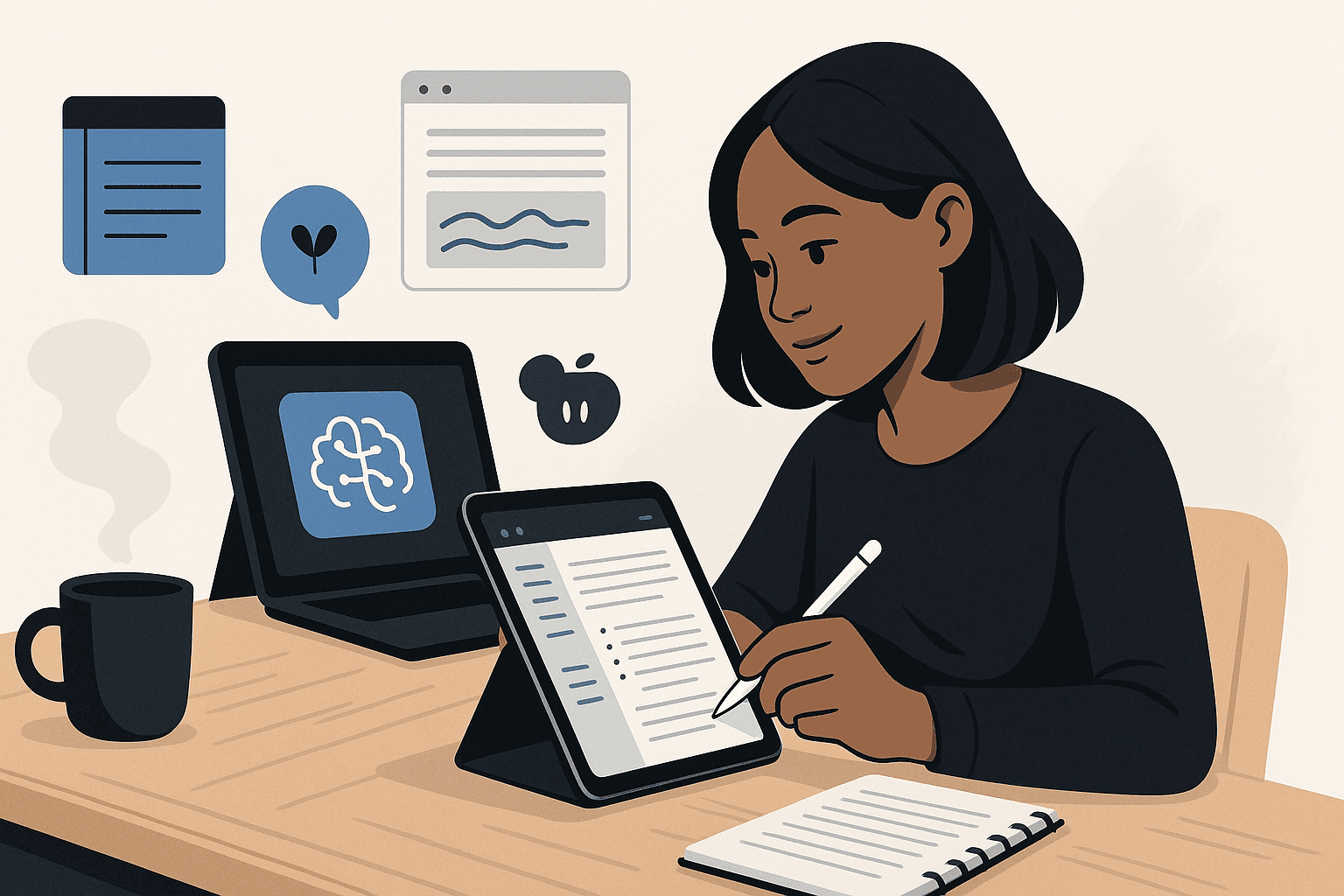
Finding the right note taker app transforms how efficiently you capture, organize, and review information from lectures, meetings, and research sessions. The best note taker app for your workflow depends on whether you need AI transcription for live conversations, handwriting support for iPad sketching, or structured formats like Cornell notes that keep your study materials organized and actionable.
This guide walks through the key features, use cases, and trade-offs across the major categories of note taker apps available in 2026, so you can match the tool to your actual daily habits rather than chasing features you will never use.
What Makes a Note Taker App Worth Using?
A note taker app earns its place in your workflow when it reduces friction between the moment you encounter information and the moment you can act on it later. The three non-negotiable capabilities are fast input (typing, handwriting, or voice), reliable search across all your notes, and seamless sync so your notes follow you across laptop, tablet, and phone without manual exports or lost files.
Beyond those basics, the decision splits along how you capture content: students attending fast-paced lectures prioritize speed and structure, while professionals in back-to-back meetings need AI transcription that captures every speaker automatically. iPad users drawing diagrams need pressure-sensitive handwriting, and researchers juggling PDFs need annotation tools that keep highlights tied to source documents.
How Do AI Note Taker Apps Differ from Traditional Note Apps?
AI note taker apps record audio, transcribe speech to text in real time, and often identify speakers, generate summaries, or pull action items without manual formatting. Traditional note apps require you to type or write every word yourself, giving you full control over structure but demanding constant attention during lectures or meetings.
The trade-off is immediacy versus refinement: AI transcription captures everything said but may include filler words, off-topic tangents, and formatting that needs cleanup, while manual notes force you to filter and synthesize on the fly, producing cleaner study material but risking gaps if the speaker moves faster than you can type.
When Should You Choose an AI Meeting Note Taker?
An AI meeting note taker makes the most sense when you need a verbatim record of conversations, when multiple speakers overlap, or when your role in the meeting requires active participation that leaves no attention for typing. Tools like Otter, Fathom, and Fireflies join video calls, transcribe automatically, and tag speakers, so you can focus on the discussion and review the transcript afterward.
These apps excel in professional settings where follow-up accountability matters: sales calls, client briefings, and project kickoffs where action items and exact phrasing carry weight. For solo study sessions or asynchronous learning from recorded lectures, you gain less value from speaker identification and may prefer a simpler transcription workflow or manual notes.
What Are the Limits of AI Transcription for Students?
AI transcription struggles with dense technical vocabulary, equations spoken aloud, and rapid-fire lecture formats where the professor jumps between slides, diagrams, and verbal explanation without clear transitions. The resulting transcript often requires heavy editing to match the structure of your course material, and reviewing a 50-minute wall of text takes longer than skimming well-organized manual notes.
Students benefit more from AI tools that process recorded lectures into structured outputs like summaries, flashcards, or quiz questions, rather than raw transcription alone. Platforms like Study Slay's AI notes feature turn lecture recordings, PDFs, and videos into study-ready formats automatically, skipping the manual cleanup step entirely.
Which iPad Note Taker App Offers the Best Handwriting Experience?
The best iPad note taker app for handwriting delivers palm rejection, pressure sensitivity with Apple Pencil, and shape recognition that converts rough sketches into clean diagrams. Notability, GoodNotes, and Noteshelf dominate this category, each offering smooth ink rendering and the ability to mix typed text, handwritten annotations, and imported images on the same page.
Your choice hinges on organizational preference: GoodNotes uses a notebook-and-folder hierarchy that mimics physical binders, while Notability emphasizes audio recording synced to handwritten notes so you can tap a word and jump to that moment in the lecture. For students who sketch diagrams in biology or physics, shape recognition saves time, and for those who annotate PDFs, robust highlighter and text-box tools matter more than freeform drawing.
Can You Use an iPad Note Taker for Typed Notes Too?
Yes, most iPad note taker apps support typed text via on-screen or Bluetooth keyboard, but the experience skews toward handwriting and the apps lack advanced text-editing features found in dedicated typing apps like Notion or Obsidian. If your workflow mixes handwritten diagrams with long-form typed outlines, you may end up switching between apps or exporting notes to a text editor for final study guides.
A hybrid approach works well: use the iPad app for in-class sketching and quick annotations, then export PDFs to a cross-platform tool where you can add typed summaries, link related notes, and generate flashcards. Tools like Study Slay accept uploaded PDFs and turn them into searchable notes and quizzes, bridging the gap between handwritten input and digital study workflows.
How Does the Cornell Note Taker Method Fit into Digital Apps?
The Cornell note taker method divides each page into three sections: a narrow left column for cues and questions, a wide right column for detailed notes during the lecture, and a bottom summary strip for key takeaways. This structure forces active recall when you review, because you cover the right column and test yourself using only the cue column.
Digital note apps implement Cornell formatting as a template: Notability, OneNote, and Evernote offer prebuilt layouts, while plain-text apps like Obsidian or Roam rely on markdown headers to mimic the three-section split. The advantage of digital Cornell notes is searchability across all cue words and summaries, but the two-column layout feels cramped on phone screens, so most students reserve this format for laptop or tablet use.
Should You Use a Cornell Note Taker Template or Freeform Notes?
Use a Cornell template when the course material is dense, unfamiliar, and tested via recall (think history dates, biology processes, legal definitions), because the cue column builds retrieval practice directly into your notes. Freeform notes work better for discussion-based seminars, creative brainstorming, or project planning where rigid structure interrupts the flow of ideas.
Many students find that manually formatting Cornell notes during a fast lecture is too slow, so they capture freeform notes in class and reorganize into Cornell structure during review. Apps that generate flashcards from notes automate part of this process: Study Slay's flashcard generator pulls key terms and definitions from your uploaded notes, mimicking the cue-and-answer structure of Cornell without manual column setup.
Comparing Popular AI Note Taker Tools for Meetings
Three AI note taker platforms dominate the meeting-transcription space: Fathom AI, Fireflies, and Otter. Each joins Zoom, Google Meet, or Microsoft Teams calls, records audio, and produces a searchable transcript with timestamps, but they differ in summary quality, integration depth, and pricing models.
| Platform | Best For | Key Strength | Limitation |
|---|---|---|---|
| Fathom AI | Sales calls, client meetings | Automatic CRM updates and action-item extraction | Overkill for simple note-taking; focuses on business workflows |
| Fireflies | Team collaboration, recurring standups | Speaker analytics and sentiment tracking across meetings | Requires team buy-in; less useful for solo users |
| Otter AI | Lectures, interviews, general transcription | Real-time collaborative note editing during live sessions | Free tier caps monthly transcription minutes; summaries are basic |
For students, Otter AI note taker offers the lowest barrier to entry with a free tier that covers most lecture loads, though the transcription cap resets monthly and heavy users hit limits during exam weeks. Fathom and Fireflies target professional workflows and charge per user, making them less practical for individual academic use unless your university provides a shared license.
How Accurate Is Otter AI Note Taker for Academic Lectures?
Otter AI note taker achieves high accuracy on clear speech in quiet environments but drops quality with heavy accents, overlapping speakers, or domain-specific jargon like organic chemistry nomenclature or advanced statistics terminology. The app learns custom vocabulary over time if you correct mistakes, improving accuracy for recurring terms across a semester.
The real limitation is what you do with the transcript afterward: a 10,000-word document from a two-hour lecture is searchable but not study-ready. Converting that transcript into quizzes and active-recall questions requires a second tool or manual effort, which is where integrated platforms that handle transcription and study material generation in one step save time.
What Features Should You Prioritize in a Note Taker App?
Prioritize cross-device sync, offline access, and export flexibility before chasing advanced features like AI summaries or collaboration. If your notes live only on one device or lock you into a proprietary format, you risk losing access during tech failures or when you switch platforms in a year.
Students benefit most from tools that connect note capture to active study methods: flashcard generation, spaced-repetition scheduling, and quiz creation. Professionals need calendar integration, task extraction, and sharing controls. Evaluate whether the app closes the loop from input to output in your specific workflow, not just whether it has the longest feature list.
Is Offline Access Important for a Note Taker?
Offline access is critical if you take notes in lecture halls with weak Wi-Fi, during flights, or in library basement study rooms where cell signal drops. Cloud-only apps like Google Keep or Notion's web version become unusable without connectivity, while apps like GoodNotes, Notability, and Apple Notes store data locally and sync changes when you reconnect.
Check whether the app caches recent notes or requires a manual download step for offline use. Some hybrid apps default to cloud storage but let you pin specific notebooks for offline availability, which works well if you know which course materials you will need before you lose signal.
How Do You Choose Between Handwritten and Typed Note Taking?
Choose handwritten notes when the content includes diagrams, equations, or visual relationships that typing cannot capture efficiently, or when research suggests the slower pace of handwriting improves retention for your learning style. Typed notes win when speed matters, when you need to share or search notes instantly, or when your handwriting is illegible under time pressure.
Many students adopt a hybrid model: handwrite during lecture to stay engaged and sketch visuals, then type a summary or outline during review to reinforce key points and create searchable study guides. Apps that convert handwriting to text, like GoodNotes or Nebo, bridge the gap but still require cleanup for accuracy, especially with cursive or technical symbols.
Does Handwriting Really Improve Retention?
Handwriting can improve retention because the slower pace forces you to paraphrase and select which points to record rather than transcribing verbatim, a form of shallow processing. However, the benefit disappears if you rush and write incomplete fragments, or if you never review the notes afterward, because retention depends on retrieval practice more than the input method.
Typed notes paired with active review strategies like self-testing and spaced repetition outperform passive handwritten notes that sit untouched until the exam. Tools that turn your notes into practice questions, regardless of how you captured them, deliver better long-term retention than the input method alone.

Should You Use One Note Taker App or Multiple Tools?
Using one note taker app simplifies search, reduces context switching, and keeps all your information in a single database you can link and cross-reference. Multiple tools fragment your workflow, require duplicate effort to keep systems in sync, and increase the risk of losing notes when one service shuts down or changes pricing.
The exception is when one tool excels at capture and another at review: record lectures in Otter for transcription, then import the text into a study platform that generates flashcards and quizzes. This two-step workflow adds friction but makes sense if no single app handles both stages well for your needs.
How Do You Migrate Notes Between Apps?
Migrating notes between apps requires export to a common format like plain text, Markdown, or PDF, then import into the new tool, a process that often loses formatting, internal links, and metadata like tags or creation dates. Apps with strong export options (Notion, Evernote, Obsidian) ease migration, while walled-garden tools that lock you into proprietary formats (some iPad apps) make switching painful.
Before committing to a note taker app, test the export process: create a sample notebook with headings, lists, images, and links, then export and check what survives. If the output is garbled or incomplete, consider whether you are willing to stay with that platform indefinitely or rebuild your notes from scratch later.
What Role Does Search Play in Note Taker App Selection?
Search transforms a note taker app from a filing cabinet into a working memory, letting you retrieve information in seconds rather than scrolling through dozens of notebooks. The best search indexes not just note titles and body text but also handwritten content (via OCR), image text, PDF annotations, and tags, so you can find a concept no matter how you originally captured it.
Weak search forces you to remember where you filed a note rather than what it contains, undermining the point of digital organization. Test search with ambiguous queries: if the app cannot surface a note when you remember only a vague phrase or related concept, you will waste time hunting instead of studying.
How Much Should You Pay for a Note Taker App?
Free tiers cover basic note taking for most students, but paid plans unlock higher transcription limits, more storage, offline access, and advanced features like AI summaries or unlimited devices. Expect to pay between five and fifteen dollars per month for a full-featured individual plan, or a one-time purchase of twenty to fifty dollars for iPad apps with lifetime licenses.
Evaluate cost against how much time the tool saves: if an AI transcription service eliminates two hours of manual note-taking per week, the subscription pays for itself quickly. If you rarely review your notes or the app duplicates free tools you already use, the expense is hard to justify regardless of features.
Are Free Note Taker Apps Good Enough?
Free note taker apps like Google Keep, Apple Notes, or the basic tier of Notion handle straightforward text notes, checklists, and simple organization without cost, making them ideal for light users or students on tight budgets. The limits appear when you need AI transcription, advanced search, handwriting with OCR, or study-tool integrations, features that typically sit behind paywalls.
A smart middle path is using a free app for capture and a specialized platform for study generation. For example, record lectures in a free voice-memo app, then upload the audio to Study Slay to generate AI notes, flashcards, and quizzes, combining the flexibility of free tools with the power of purpose-built study AI.
Matching Note Taker Apps to Specific Use Cases
The right note taker app depends on your primary use case more than any universal ranking. Students attending live lectures need speed and structure, remote workers in video meetings need transcription and speaker tracking, researchers juggling PDFs need annotation and citation tools, and creative professionals brainstorming need freeform canvases and multimedia embeds.
| Use Case | Recommended App Type | Must-Have Feature |
|---|---|---|
| Live lecture capture | AI transcription or fast typing app | Real-time sync and offline access |
| Handwritten notes on iPad | GoodNotes, Notability, Noteshelf | Palm rejection and OCR search |
| Video meeting transcription | Otter, Fathom, Fireflies | Speaker identification and action items |
| PDF annotation and research | LiquidText, MarginNote, Zotero | Citation export and highlight management |
| Study guide and flashcard creation | Study Slay, Anki, RemNote | Spaced repetition and quiz generation |
If your workflow spans multiple use cases, look for interoperability: can the app export clean text or PDFs that import into your other tools? Apps with strong export and API support let you build a custom pipeline rather than forcing you into a single ecosystem.

Frequently Asked Questions About Choosing a Note Taker App
What is the best note taker app for students in 2026?
The best note taker app for students in 2026 is one that converts lecture content into active study materials like flashcards and quizzes, not just passive transcripts. Tools like Study Slay turn recordings, PDFs, and videos into structured notes and spaced-repetition study aids, while traditional apps like Notion or GoodNotes require manual reformatting before you can study effectively.
Can I use Fathom AI note taker for college lectures?
You can use Fathom AI note taker for college lectures if they are conducted via Zoom or another supported video platform, but Fathom is designed for sales and client meetings with CRM integrations that offer little value in academic settings. For in-person or non-video lectures, Fathom cannot join and you will need a different transcription solution or an audio-recording app.
How does a Cornell note taker improve exam performance?
A Cornell note taker improves exam performance by building retrieval practice into your review process: the cue column prompts active recall, forcing you to retrieve answers from memory rather than passively rereading notes. This repeated self-testing strengthens long-term retention more effectively than highlighting or summarizing alone, especially for fact-heavy courses.
Which iPad note taker app works best with Apple Pencil?
GoodNotes and Notability both work exceptionally well with Apple Pencil, offering pressure sensitivity, palm rejection, and shape recognition. GoodNotes excels at organization with a notebook-folder structure and robust PDF annotation, while Notability pairs handwritten notes with audio recording so you can replay the lecture while reviewing your writing.
Is Otter AI note taker accurate enough for technical courses?
Otter AI note taker achieves reasonable accuracy for general speech but struggles with technical jargon, equations, and dense terminology common in STEM courses unless you train it by correcting mistakes over multiple lectures. Even with training, the transcript requires manual review and reformatting, making it a starting point rather than a final study resource for technical material.
Building a Note Taker Workflow That Lasts
A sustainable note taker workflow balances capture speed with review effectiveness, choosing tools that reduce friction at both ends rather than optimizing only for input. The app you can open in three seconds and search instantly will see more use than a feature-rich platform that requires five clicks to start and buries notes in nested folders.
Test your workflow under real conditions before committing: use the app for a full week of lectures or meetings, then try to create a study guide or project summary from your notes. If the process feels smooth and the output is useful, the tool fits. If you are fighting the interface or manually reformatting every session, keep looking.
The ideal system connects note capture to the next step in your workflow without manual exports or format conversions. For students, that means turning lectures into practice questions; for professionals, it means extracting action items and deadlines. AI chat tools that answer questions from your notes close the loop by making your captured information immediately queryable, turning static documents into an interactive study partner.
Start with the simplest tool that meets your core needs, then add complexity only when a specific limitation blocks your progress. A basic app you use consistently beats a powerful platform you abandon after two weeks because the learning curve outweighs the benefit.
The right note taker app in 2026 is not the one with the longest feature list but the one that disappears into your routine, capturing what matters and surfacing it when you need it. Whether you choose handwriting on iPad, AI transcription for meetings, or structured Cornell templates for exam prep, the tool should accelerate your thinking rather than becoming a project in itself. Evaluate options against your actual daily habits, test the full capture-to-review cycle, and invest in platforms that turn notes into action rather than just storing them. If you are ready to transform lecture recordings and study materials into flashcards, quizzes, and searchable AI notes without manual reformatting, explore how Study Slay's pricing plans fit your study workflow and start building a note system that works as hard as you do.